
Write to the memory
This journey brings a fact, a principle, a goal, a person or a document into the memory: the agent creates a note (an "atom") in the right zone. For what the session itself leaves, see Archive a session.
What you ask the agent
« Note this down: "A sealed fragment is never edited by hand." »
mem_notetitle=Sealed fragmentcontent=A sealed fragment is never edited by hand.
« Remember this principle, a red line: only document what the code supports. »
mem_principletitle=Only document what the code supportscontent=A claim that neither the catalog nor the code supports does not belong in the reference.force=red-line
« Add a short-term goal: publish the documentation by 2026-12-01. »
« Create a card for Claire Martin, a client. »
« Absorb this document into the memory: /Users/ben/Documents/cahier-des-charges.pdf. »
mem_docpath=/Users/ben/Documents/cahier-des-charges.pdftitle=Cahier des charges
« Set this aside, I'll sort it later: remember to ask for a quote for the LED rail. »
When you do not say what kind of content it is ("note this", "keep that"), the agent may use mem, which drops it in the inbox; when you do ("remember this principle"), it calls the tool of that type.
What the agent does
Each tool writes a new note:
| Tool | Where it lands | Required | Good to know |
|---|---|---|---|
mem | 00-inbox/ | content | hint steers the later filing: note, principle, goal, person or idea. |
mem_note | 20-knowledge/ | title, content | title serves as the name. |
mem_principle | 40-principles/{scope}/ | title, content | force: red-line, heuristic (default), value or action-rule. |
mem_goal | 50-goals/{horizon}/ | title | horizon: short (default), medium or long; status: open (default), in-progress, done or abandoned; deadline as YYYY-MM-DD. |
mem_person | 60-people/{relation}/ | name | relation: colleague (default), client, friend, family or other. The card is marked sensitive by default (sensitive). |
mem_doc | 00-inbox/ | path (absolute) | One local document per call: Markdown, text, PDF, DOCX, XLSX, PPTX, HTML or CSV. |
All except mem accept project (the project it belongs to) and scope: work (default), personal or all.
None of these writes overwrites an existing note. If the name is already taken, the server picks another by adding a suffix (-2, -3…); the answer gives the path actually written. The agent therefore does not have to check first whether the note exists. When the write lands in a cross-cutting zone, that zone's index.md is regenerated.
Other tools write notes, with their own rule:
mem_archive, in full mode, creates the notes ofderive; a name already taken makes it refuse the whole archive (see Archive a session).mem_codebaserecords in a project's map a fact that the code does not say by itself (fact,body,project). It asks for the files the fact describes (describes, paths relative to the repository, which must exist) or, failing that,unmeasurable_because, the reason it attaches to no file; with neither, the write is refused. The catalog advises consultingmem_codebase_scanfirst.
Correcting an existing note is not the job of these tools: renaming, moving, attaching or removing is done with those of Maintain the memory.
What you see
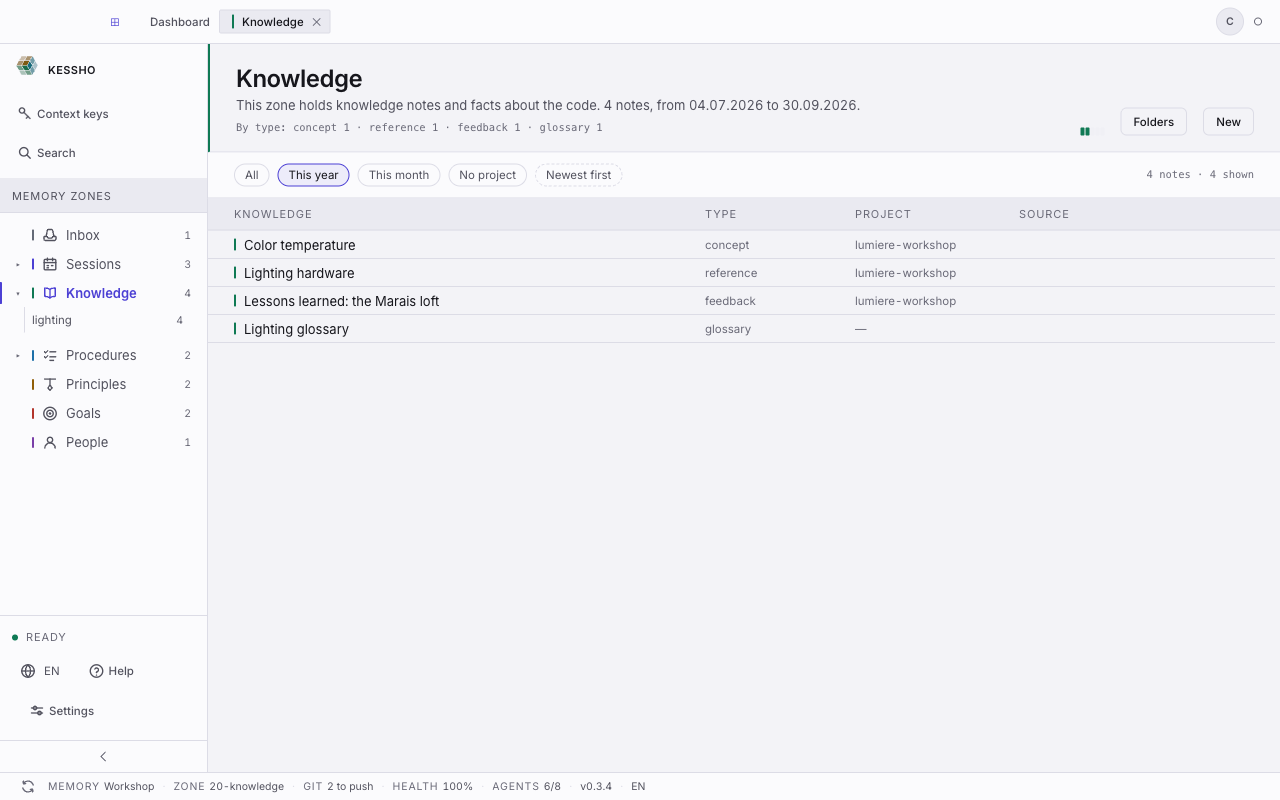
The written note appears in its zone, here Knowledge (20-knowledge): one row per note, with its type and its project (see Zones). The freshness indicator lights up as soon as the agent writes, and Reload refreshes the list. To open the note and read or edit it, see Atom and editor.
You can also create a note yourself, with New in the zone header: the agent is not needed.