
Maintain the memory
This journey keeps the folder in good shape: spot defects (a broken link, an orphan note, an unreadable frontmatter…), repair them, and tidy up (rename, move, merge, remove) without breaking links. The application can do part of it alone; the agent takes the rest.
What you ask the agent
« Show me what the automatic repair would fix, without writing anything. »
mem_health_repair« Apply that repair. »
« Which health tasks fall to me? The summaries to compose, first. »
« Rename the kessho-docs project to kessho-documentation, and update the links that point at it across the whole vault. »
mem_renameold_slug=kessho-docsnew_slug=kessho-documentationrewrite_links=true
« Show me what moving 20-knowledge/runner.md to 20-knowledge/architecture/runner.md would do. »
« Apply that move. »
mem_movepath=20-knowledge/runner.mdto=20-knowledge/architecture/runner.mdapply=true
« Remove the note 20-knowledge/note-de-test.md: it duplicates runner.md. »
mem_removepath=20-knowledge/note-de-test.mdconfirm=truereason=Duplicate of runner.md.
« On second thought, put that note back. »
What the agent does
Check, then repair
mem_health_scanaudits the vault. Read-only, in all circumstances.categoryrestricts the audit to one category (the list is in the reference). Each finding says who can repair it:stageisapp(the automatic repair step),agent(a task for the agent) ornone(with the reason).mem_health_repairapplies the fixes whose answer is unique and safe. By default it is a dry run: the answer carries aplan_id, the number of fixes and the files concerned, and nothing is written. Withapply: true, the agent must hand back thatplan_id: without it, or if the memory changed since, nothing is written. No other parameter is accepted (dry_runis refused), and nothing is ever deleted.mem_health_taskslists what calls for judgment: a summary to compose, an orphan note to attach, a link with no safe target, a merge conflict, a moved repository.kindfilters by kind,limit(30 by default) andcursorpaginate. Each task names the tools to use and its end criterion: the finding disappears from the scan. The agent handles each task, then rerunsmem_health_scanto check.
Tidy up
These tools also rewrite the links that point to what they move (wikilinks, Markdown links, frontmatter), across the whole vault. rewrite_links: false turns that rewriting off for mem_rename, mem_merge and mem_reclass.
mem_moverenames or moves a file or folder. Withoutapply, it returns the plan and writes nothing: files moved, each link before and after, links left, warnings,empreinte(the plan's fingerprint). Withapply: true, it applies; ifempreinteis given and the vault changed since, nothing is written. It refuses an occupied target, an invalid name, a protected folder, a git operation in progress, or a plan that would break a link.mem_renamerenames a project or domain (old_slug,new_slug);mem_mergemerges two projects or two domains of the same kind (source_slug, deleted after the merge, intotarget_slug);mem_reclasschanges a note's scope (scope) or zone (zone). These three tools write as soon as they are called: they have no dry run. To go back, seemem_move_undobelow.mem_move_undoundoes the vault's last move operation (mem_move,mem_rename,mem_reclass,mem_merge, or the same gesture made in the application): files and links return to their previous state. It refuses if a touched file has changed since.
Remove
mem_remove moves a note to the vault's trash (.trash/), with an attached note (date, reason, former path); it never deletes. Its guards:
- a note created by this server during the current session can be removed freely; for any other,
confirm: trueand a non-emptyreasonare required; - a note cited by others is refused, with the list of citing notes;
force: trueremoves it anyway and returns every link that became dangling; - it refuses
index.md,context.md,history.md,.obsidian/and.trash/, and any removal while a git operation is in progress; - it writes an audit line in
99-meta/migrations/removals.md. A note already pushed stays in git history.
mem_restore puts it back, byte for byte, and refuses if a file already occupies its original path: nothing is ever overwritten.
Other tidying tools exist, for example mem_attach (attach an orphan note to a project or a domain) or mem_accept_dangling (declare a deliberate dead link); they are in the MCP reference.
What you see
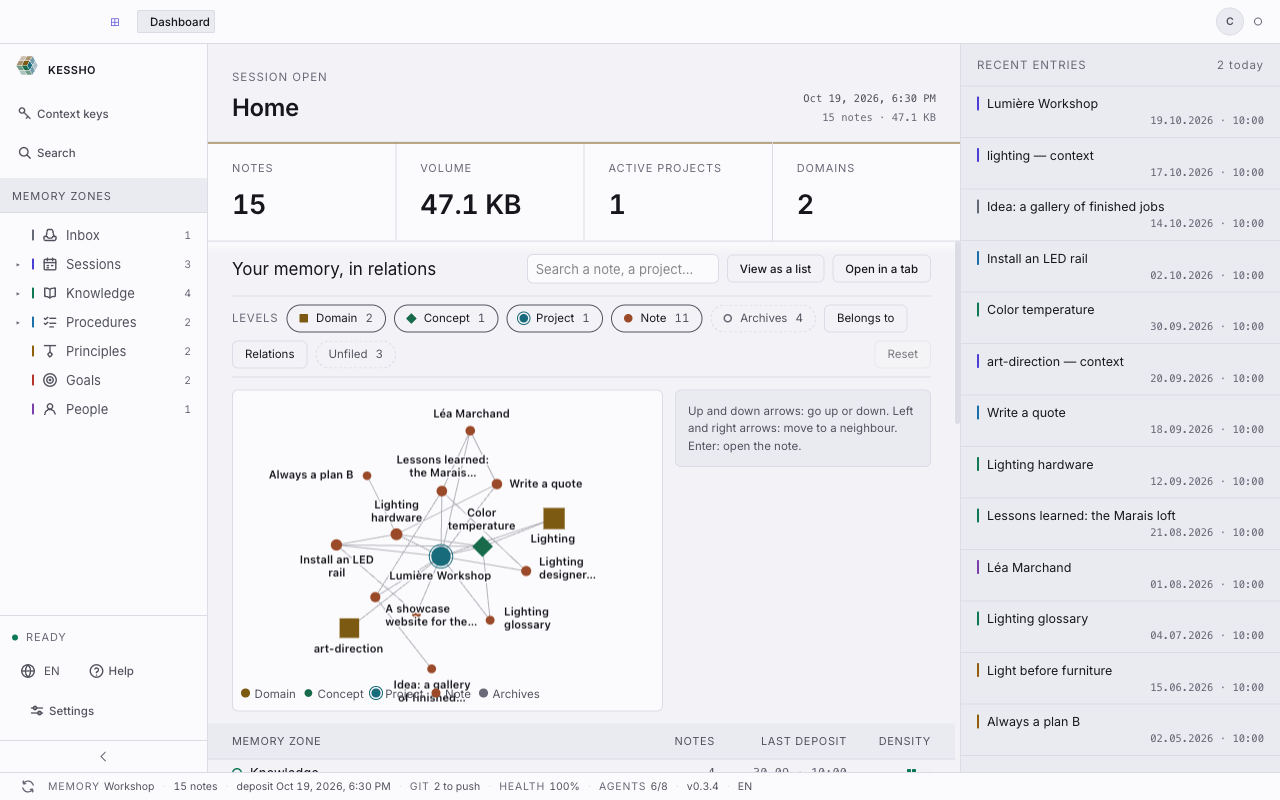
- Health. The status bar shows the memory's HEALTH, and the home screen carries the Memory Health Score. It counts the anomalies and separates what the application repairs alone from what falls to an agent ("N tasks for an agent", with Copy the instruction). Prepare the repair follows the same two-step principle as
mem_health_repair: a plan, then Apply; an outdated plan is refused. See Home. - Tidy up and remove. In a zone, a note's menu offers Rename, Move and Remove, with a preview of the links to update and an Undo button to go back; Remove sends the note to the trash (
.trash) and offers Remove anyway when other notes cite it. See Zones. - What the agent has just changed. The freshness indicator lights up after every agent write and names the zone touched; Reload refreshes the screen (see Zones).