
Modules
This screen shows each module of your project — each stack declared in effortless.json — on its own card. Come here to see at a glance where each part of the code stands: its version, its repository, its delivery and the work that touched it.
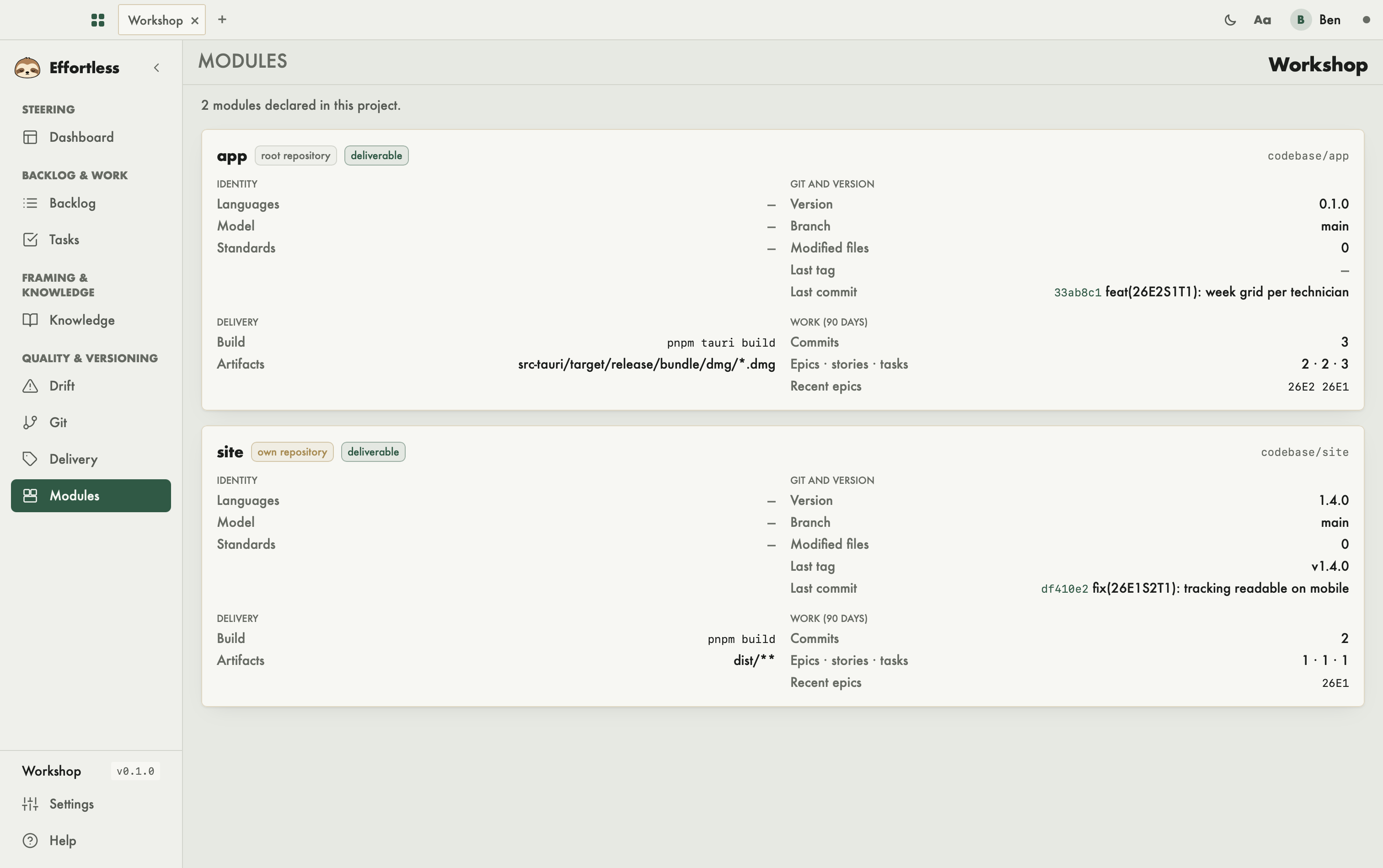
What you see
At the top, the number of declared modules. Then one card per module, with its name, its path and badges: own repository (the module has its own git repository) or root repository (it lives in the project's), deliverable when a delivery is declared, folder missing when its path does not exist.
Each card has five blocks:
- Identity: the Languages, the stack Model and the Standards present for this module.
- Git and version: the Version read from its files (
package.json, otherwiseCargo.toml), the Branch, the number of Modified files, the Last tag and the Last commit. - Delivery: the Build command and the Artifacts declared in the Delivery screen. Otherwise: "No delivery declared for this module."
- Work (90 days): the number of Commits that touched the module, the Epics · stories · tasks they cite, and the Recent epics.
- Builds: the module's Build volume at the last measurement, with its date ("Never measured" otherwise), the detail per build folder, and the Module debug info and Dependencies debug info. The volume is highlighted when it goes over the project threshold (10 GB by default, set with
settings.build_volume.thresholdineffortless.json).
When a source could not be read — for instance a folder that is not a git repository — the card says so: "A source could not be read", with the detail on hover. When git says nothing about the module, the Work block shows "Nothing readable in git for this module." Nothing is hidden.
What you can do
The Builds block acts on the module's build folders — what compilation produces and can regenerate:
- Measure walks the build folders: those the stack declares and those the build tool tagged as a cache. It counts the real disk usage, each file once. The measurement stays on your machine.
- Clean… first shows what will happen: the reset command declared by the language (for example
cargo clean) and the size it will free. Nothing goes until you click Clean. The next build will be a full one. - The debug info selectors set how much debug information dev builds carry: none, lines only or full. The setting applies to the commands Effortless runs for this module, without rewriting any of your files. A scope the language cannot adjust shows "not adjustable": for Rust, that is the case of dependencies, which stay without debug info.
When a module goes over the threshold, the resume screen of the Dashboard shows "Heavy builds" and leads here.
The rest of the screen is read-only. A module is declared through the Stack step of the Creation assistant, through Preferences › Stack model (Create the stack), or by an agent with effortless_stack_add. Its delivery is set on the Delivery screen.
With an AI agent
An agent reads the same thing through the effortless_modules verb. The Builds block has its own verbs: effortless_build_volume (measure), effortless_build_reset (clean, simulation first) and effortless_build_debug (debug info) — see Code and stacks.